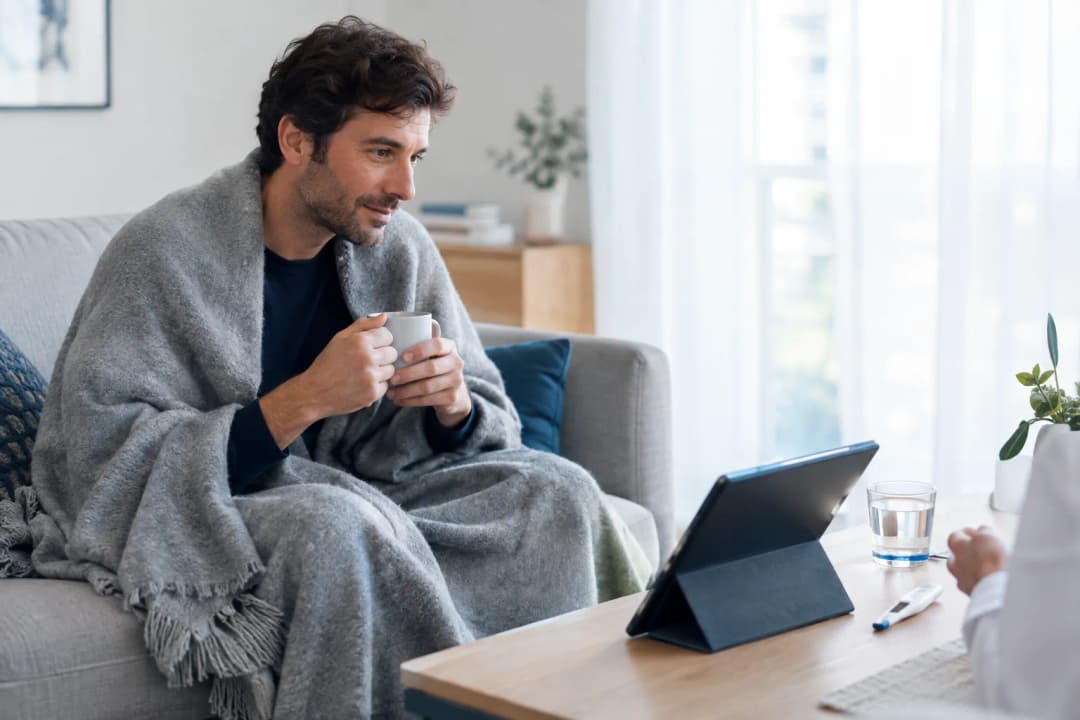
Prepare for an Online GP Consultation in Spain | 2026

Medically Reviewed by Dr. Pedro Yelamo Vera, MD
Licensed Physician No. 484814280 · Official Medical College of Bizkaia (Spain)Last reviewed: 1 October 2026
How to prepare for an online GP consultation in Spain: a calm 2026 checklist for symptoms, medicines, documents, privacy and clear next steps for adult patients.
You don't have to figure this out alone
Dr. Pedro Yelamo Vera is an independent, bilingual GP licensed in Spain. Book a 20-minute video consultation in English or Spanish for €50, with a private electronic prescription issued under Spanish law when clinically appropriate.
How an online consultation works
Dr. Pedro Yelamo Vera explains, in under a minute, what happens during a private video consultation — from booking to your private Spanish e-prescription or medical report.
An online GP consultation can feel easier when you know what to prepare. This 2026 guide gives adults in Spain a calm checklist for sharing the information a clinician needs, protecting your privacy, and leaving with clear next steps.
- For an online GP consultation in Spain, prepare a symptom timeline, medicines, ID and a private place to talk.
- Start with one clear concern, then explain when it began and what has changed.
- Keep medicine boxes, relevant results and your questions beside you before the video call.
- Online GP consultations are for non-emergencies; call 112 if you need emergency help in Spain.
Why preparation matters
A video consultation is still a medical assessment. Good preparation helps you explain what is happening now, what you have already tried, and what information may affect a safe next step.
For an expat, tourist, digital nomad or international resident, the local health system can add pressure when you are unwell. Dr. Pedro Yelamo Vera provides confidential, unhurried online GP consultations in English and Spanish for adults who need non-emergency guidance in Spain. Remote care is assessed individually and is not suitable for every concern.
In 2026, the aim is not to arrive with a perfect medical record. A short, accurate summary is usually more useful than trying to remember details while you are anxious or tired.
What you will need
Set aside 10 to 15 minutes before your appointment. Keep these essentials within reach:
- A valid photo ID, such as a passport, national ID card or residence document.
- Your current medicines, including the name, strength, dose and how often you take them.
- Photos of medicine boxes, labels or previous prescriptions if names are difficult to remember.
- Relevant laboratory results, discharge letters, imaging reports or specialist notes.
- A brief list of allergies or previous medicine reactions, including what happened.
- A charged phone, tablet or computer with a camera, microphone and stable internet connection.
- Headphones and a private place where you can speak openly.
- A notes app or pen and paper for the plan discussed during the call.
You do not need to send every health document you have. Choose the information that relates to the reason you booked: the current problem, an ongoing condition, a medicine review or a recent result.
The steps
1. State the reason for booking in one sentence
Write one sentence before the appointment. Start with the concern that matters most today, such as: a cough that began four days ago, pain that is affecting sleep, a question about an existing medicine, or a result you need help understanding.
This gives the online GP consultation a clear starting point. In 2026, a focused opening helps the clinician ask useful follow-up questions before moving to background detail.
Expected outcome: You can explain the main concern in under one minute.
Common mistake: Starting with every health issue from the past year and only mentioning the current problem near the end.
2. Make a short symptom timeline
Use three points: when the problem began, how it has changed, and what makes it better or worse. Add useful details such as whether symptoms are constant or intermittent, whether they affect sleep or work, and anything you have already taken or tried.
For pain, note where it is, how strong it feels on a 0 to 10 scale, and whether it affects walking, eating, breathing or sleep. For a skin concern, take a clear photo in natural light before the consultation if its appearance changes during the day.
Expected outcome: The clinician can understand the pattern without having to guess the order of events.
Common mistake: Saying you have felt unwell for a while when you can identify a date, trigger or change in symptoms.
3. Check medicines, doses and allergies
List every prescribed medicine you take. Include the strength and schedule, then add over-the-counter medicines, vitamins, supplements and herbal products. These details can matter when discussing symptoms, interactions or an appropriate treatment plan.
Keep the original box or a clear photo beside you. If you do not know the exact name or dose, do not estimate it. Write down known allergies and previous medicine reactions, including what happened rather than only writing allergy.
Dr. Pedro Yelamo Vera uses this information to understand the clinical context of an online GP consultation. A prescription, treatment or medication change is never guaranteed; it depends on an individual assessment.
Expected outcome: Your medicine information is clear enough for a safe discussion.
Common mistake: Mentioning only the medicine you want to discuss and leaving out regular medicines or supplements.
4. Choose the documents that matter
Bring documents that change the clinical picture: a previous prescription, a recent blood test, a hospital discharge letter, an existing diagnosis or a specialist report. Keep the original language version if a document is not in English or Spanish.
A clear photo of a result is often easier to discuss than reading a long report aloud. In 2026, prepare the most relevant pages first rather than searching through email during the call.
Expected outcome: Important context is available if the clinician needs it.
Common mistake: Sharing a large folder of unrelated records instead of the one or two documents that explain the current issue.
5. Set up a private, well-lit call
Choose a place where other people cannot overhear sensitive information. Sit with light in front of you, keep the camera steady, and use headphones if privacy is limited.
Test the video link, microphone and camera a few minutes before the appointment. Plug in your device, close apps that could interrupt the call, and make sure your internet connection is stable. If another person will support you during the consultation, agree beforehand whether they will be present or join remotely.
Dr. Pedro Yelamo Vera provides confidential bilingual GP video consultations, but privacy also depends on the space you choose. In 2026, avoid taking a medical call from a public café, moving vehicle or shared area where you cannot speak freely.
Expected outcome: You can focus on the medical conversation without preventable technical or privacy interruptions.
Common mistake: Joining from a busy public place because it is convenient.
6. Write down the questions you need answered
Keep your list short and practical. You might ask what to monitor, what the likely next step is, when you should seek urgent help, whether follow-up is needed, or how a medicine should be taken if it is prescribed.
It is reasonable to ask for an explanation in plain English or Spanish. Dr. Pedro Yelamo Vera can explain what the consultation can assess and what needs an in-person review, further testing or urgent care instead.
Expected outcome: You finish the appointment with a written plan rather than a vague recollection.
Common mistake: Assuming you will remember a question later and ending the call without asking it.
7. Confirm the plan before the call ends
Repeat the plan back in your own words. Confirm what you need to do today, whether you should monitor symptoms, whether follow-up is needed, and which warning signs should prompt urgent help.
If a prescription, certificate or other document is discussed, ask how and when it would be provided. A video consultation does not guarantee a prescription, certificate, certificate acceptance, reimbursement or a specific outcome. In 2026, that clarity protects you from relying on assumptions after the call.
Expected outcome: You know the next action, the follow-up timeframe and when the plan needs to change.
Common mistake: Ending the appointment without knowing what symptoms require urgent assessment.
Troubleshooting
The video link does not open
Check the appointment email or message, then try a current browser. A work device can block camera or microphone permissions, so switch to a personal device if possible and contact the service promptly if the problem continues.
Your camera or microphone is not working
Open your device settings and allow the browser to use the camera and microphone. Restart the browser if you missed a permission prompt. If video cannot be restored, follow the service instructions for an alternative contact method.
You cannot find your previous prescription
Use a photo of the medicine box or label. Record the name, strength, quantity and country where it was issued. Do not guess the dose; the clinician can decide what further information is needed.
Your documents are in another language
Keep the original document available and write a short summary of the date, test or diagnosis you understand. English and Spanish care are available, but it helps to flag any additional communication needs when booking.
You feel significantly worse while waiting
Do not wait for a routine online GP consultation if symptoms become severe or urgent. Call 112 for emergency help in Spain. An online GP consultation is not an emergency service and cannot replace immediate emergency assessment.
Tools and resources
Keep a secure one-page health note on your phone. Update it after a medication change, hospital visit or new diagnosis. In 2026, this can save time whether you are speaking to a clinician in Spain or travelling elsewhere in the EEA.
Include:
- Regular medicines and doses.
- Known allergies and previous medicine reactions.
- Major diagnoses, operations and hospital admissions.
- The date symptoms began and any recent changes.
- Emergency contact details.
- Questions for your next appointment.
For a non-emergency concern, Dr. Pedro Yelamo Vera offers a practical assessment in English or Spanish. Bring the short summary above, describe what has changed, and let the consultation determine the appropriate next step.
What to do next
Before booking, write your one-sentence reason for the appointment and gather your medicine details. Then choose a private place for the call and keep the relevant documents nearby.
An online GP consultation can help assess many everyday, follow-up and second-opinion concerns, but suitability is decided individually. If you have severe or urgent symptoms, seek emergency care instead of waiting for a video appointment.
FAQ
What should I prepare for an online GP consultation in Spain?
Prepare a symptom timeline, medication list, photo ID, relevant documents and a private place with stable internet. Write down your main concern and the questions you need answered before the call.
Do I need my full medical history for a video consultation?
No, you do not need a complete medical file. Bring the documents and details that relate directly to the reason for your appointment, such as a recent result, prescription or discharge letter.
Should I keep medicine boxes beside me during an online GP consultation?
Yes, medicine boxes or clear photos help you give the correct name, strength and dose. Do not guess a medicine dose if you are unsure.
Can an online GP consultation guarantee a prescription in Spain?
No, an online GP consultation never guarantees a prescription. A Spanish prescription may be issued only where clinically appropriate after an individual assessment, and pharmacy dispensing depends on local rules and availability.
Can I ask for a medical certificate during a video consultation?
You can discuss whether a certificate is appropriate, but an assessment does not guarantee one or its acceptance. The clinician decides what can be provided after assessing your situation.
Is an online GP consultation suitable for an emergency?
No, online GP consultations are not suitable for emergencies. Call 112 in Spain if you have severe or urgent symptoms that need immediate help.
How can I make an online doctor appointment more private?
Use a private room, headphones and a secure connection where possible. Avoid shared spaces where you cannot speak openly about personal health information.
One last thing
The most useful preparation is not a perfectly organised folder. It is an accurate account of what changed, when it changed, what you take, and what you need help with today. That gives an online GP consultation the best chance of being calm, focused and clinically useful.
Medical Citations & Sources
This content is written and reviewed by a licensed physician with reference to the following official health authorities.